Dark theme prevents seeing state of notifications
Description:
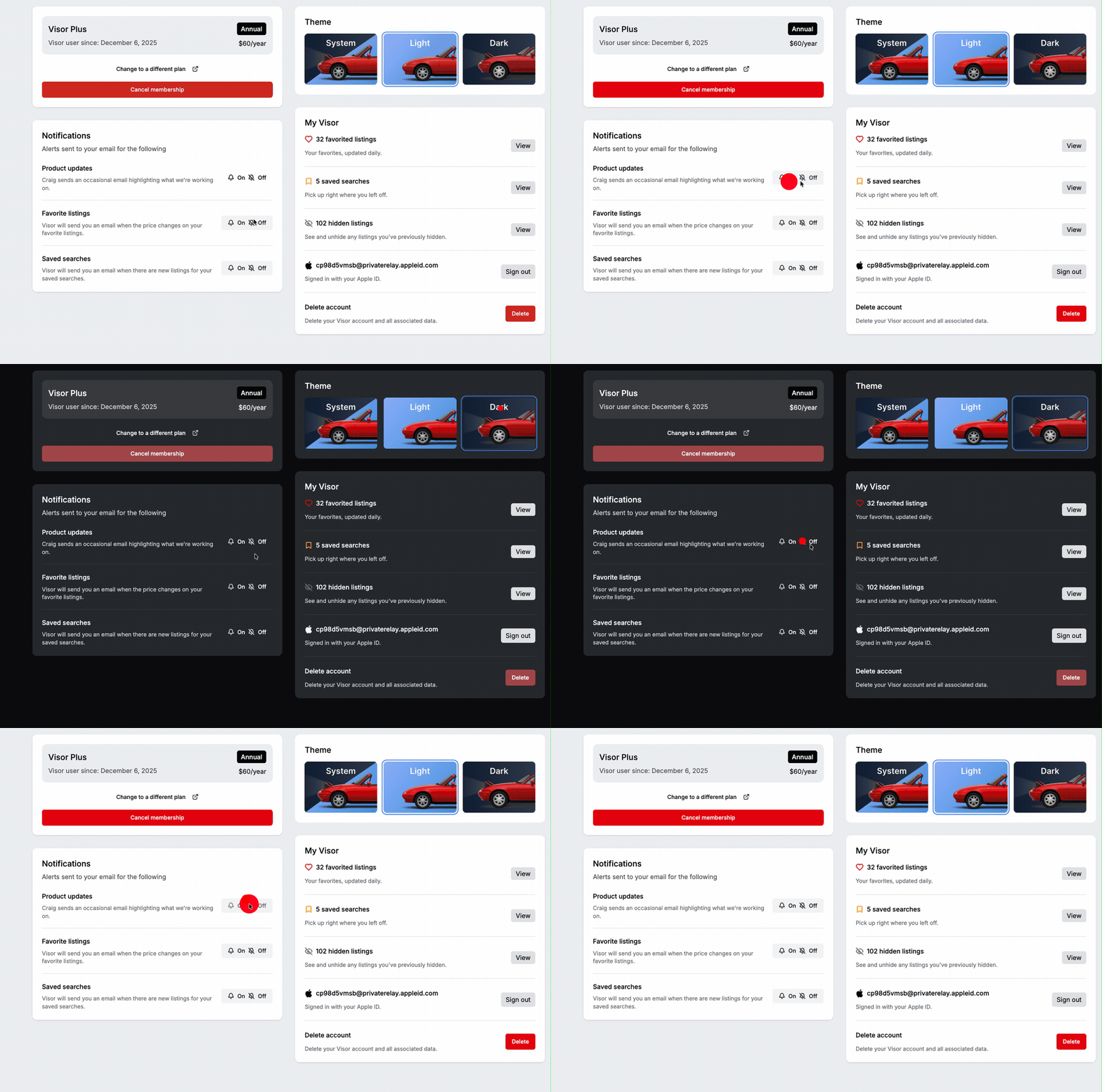
As an end-user when I select dark-theme or system-managed them (following dark-mode), when I visit the settings page, I’m unable to see the enabled/ disabled state of notifications.
Steps to Reproduce:
Login and set theme to show dark mode (either via system theme or explicitly selected)
Visit Settings Page
Observe state of notifications
Click and toggle one notification setting
Observe state of notifications
Set theme to light-theme
Repeat steps 3,4,5
Expected Result:
Steps 3 & 5 show discrete states for enabled and disabled
Actual Result:
When dark-mode is used, user cannot see difference between enabled and disabled.
Dev note: Consider using “Slider/ pill” to show state regardless of background color of toggle.
GIF:
Please authenticate to join the conversation.
Completed
🛻 Visor
8 months ago

Spencer LaValle
Subscribe to post
Get notified by email when there are changes.
Completed
🛻 Visor
8 months ago
Spencer LaValle
Subscribe to post
Get notified by email when there are changes.