Dark theme prevents seeing state of notifications
Description:
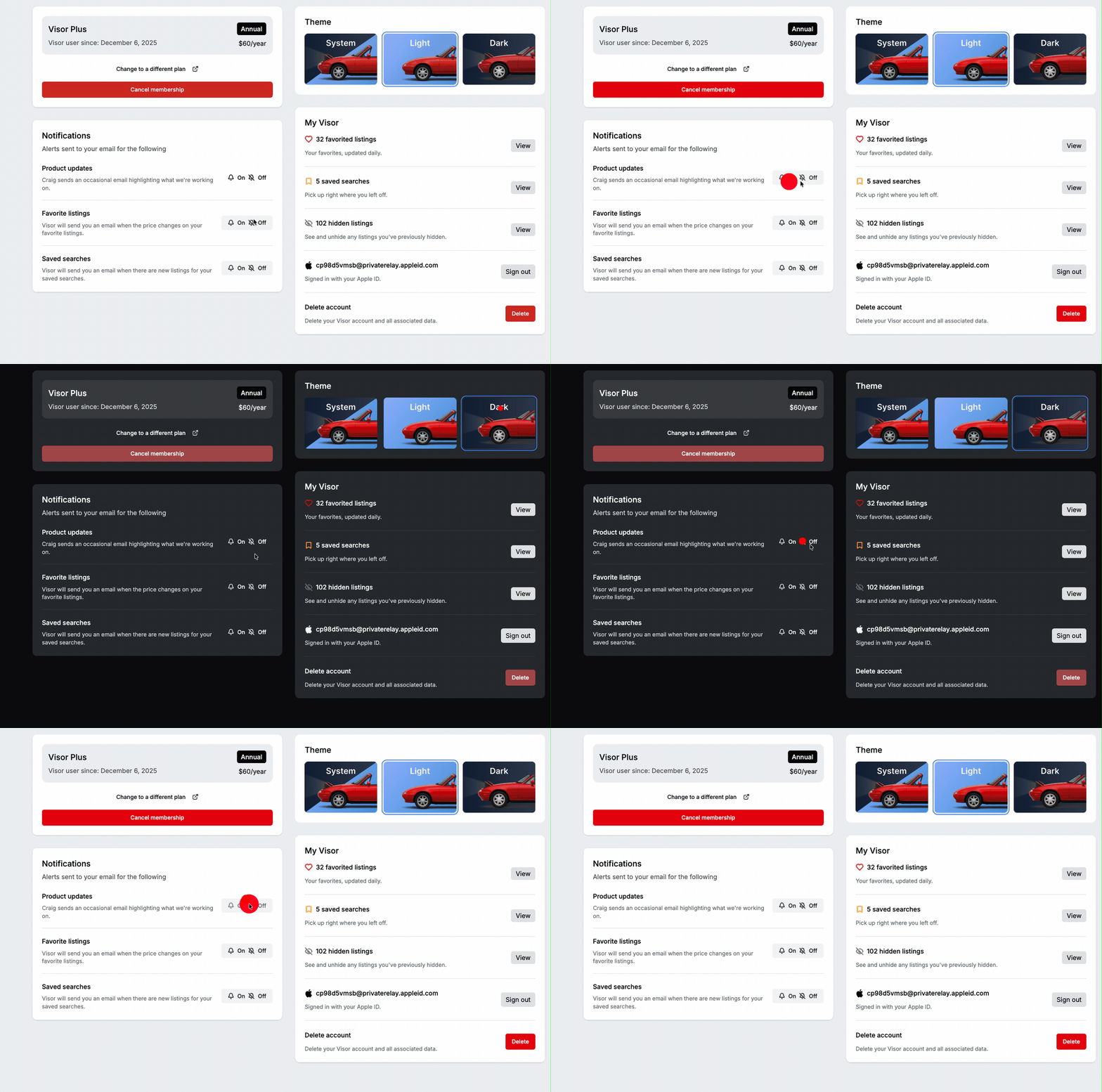
As an end-user when I select dark-theme or system-managed them (following dark-mode), when I visit the settings page, I’m unable to see the enabled/ disabled state of notifications.
Steps to Reproduce:
Login and set theme to show dark mode (either via system theme or explicitly selected)
Visit Settings Page
Observe state of notifications
Click and toggle one notification setting
Observe state of notifications
Set theme to light-theme
Repeat steps 3,4,5
Expected Result:
Steps 3 & 5 show discrete states for enabled and disabled
Actual Result:
When dark-mode is used, user cannot see difference between enabled and disabled.
Dev note: Consider using “Slider/ pill” to show state regardless of background color of toggle.
GIF:
Log in to comment and vote
Comments1
Cole Smith
Jan 27
Hey @Spencer LaValle - thank you for the report! We made some UI component upgrades the other week, and it caused these to silently break without our noticing. I’ve just fixed them to return to their previous state - you should see this resolve momentarily.